
The Only AI Tools You Need (12-Minute Guide)
At a glance
- Length
- 12 min
- Channel
- Jeff Su
- Video from
- Jan 2026
- Rating
- ⭐⭐ Great video · 2/2
- Best for
- Professionals and creators choosing which AI tools to master.
Overview of This AI Tools Selection Guide
Jeff Su, drawing on three years of daily hands-on experience with AI tools at Google and now as a creator, breaks down the five essential AI applications that drive the majority of his productivity. Rather than overwhelming viewers with dozens of marginal tools, the video focuses on identifying which AI excels at specific tasks and when to deploy each one. Su's philosophy is straightforward: every strong AI tool dominates in one particular domain, and knowing those strengths eliminates decision fatigue.
The assessment divides AI tools into two categories—Everyday AI (ChatGPT, Google Gemini, and Claude) and Specialist AI (Perplexity and NotebookLM)—each serving distinct purposes in a working workflow. The video runs just over twelve minutes, making it a practical reference for professionals, creators, and anyone integrating AI into daily work without getting lost in hype or feature bloat.
Key Moments
Key Strengths and Distinctions Across These Five Tools
- ChatGPT excels at instruction-following — it processes complex, multi-step prompts without losing track of requirements, making it reliable for detailed workflows.
- Google Gemini handles multimedia at scale — video, audio, and large files that other models struggle with, offering a capability gap that matters for content creators and analysts.
- Claude produces high-quality first-draft work — both functional code and polished written copy arrive near-final, reducing revision cycles.
- Perplexity prioritizes accuracy and currency — it retrieves up-to-date information in seconds, solving the hallucination problem for fact-dependent tasks.
- NotebookLM locks reasoning to your sources — it answers only from documents you upload, eliminating made-up information while staying grounded in your specific context.
Who Should Watch This AI Tools Guide
This video suits anyone juggling multiple AI tools and unsure which to use for which task—whether you're a content creator, marketer, developer, analyst, or knowledge worker. If you've downloaded five AI apps and feel confused about where each one adds real value, Su's framework cuts through that noise. You benefit most if you already accept that AI is part of your workflow and simply want to stop wasting time on the wrong tool for the job.
Professionals with moderate AI familiarity and creators building systems around AI will find immediate, actionable clarity. Beginners completely new to AI may benefit from trying one or two of these tools first before returning to this guide as a reference for expansion.
Frequently Asked Questions About Choosing the Right AI Tools
Why does the video focus on only five tools instead of surveying many?
Su argues that these five tools drive 90 percent of his actual results, and the constraint forces viewers to understand principle over memorizing a long checklist. The logic is that mastery of a few excellent tools beats surface-level familiarity with dozens.
What makes Claude different from ChatGPT if both are text-based AI?
The video highlights that Claude's strength lies in output quality—code and written work arrive more polished and production-ready on the first attempt, whereas ChatGPT's strength is following intricate, multi-layered instructions without losing the thread.
When should I choose Perplexity over running a Google search myself?
Perplexity synthesizes and sources information in real time in seconds, reducing the friction of clicking through search results and cross-referencing. It's faster for questions where you need an answer backed by current sources, not just ranked links.
Can NotebookLM replace ChatGPT for working with my own documents?
NotebookLM is specifically designed to answer questions grounded only in files you upload, so it won't hallucinate or invent information outside your sources. Use it when accuracy and traceability to your specific documents matter more than general reasoning.
Is Google Gemini worth switching to if I already use ChatGPT?
Only if you routinely work with video, audio, or very large files—that's Gemini's particular strength. If your work is text-only, ChatGPT's instruction-following may serve you well enough, though keeping both available costs nothing.
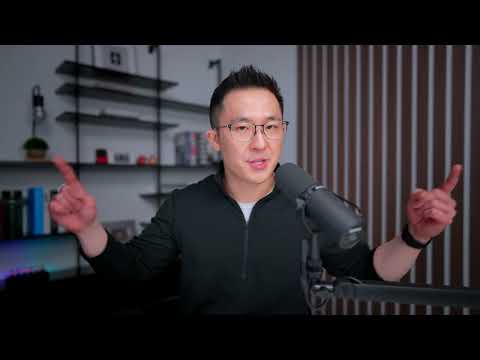
My Tip for Building Your AI Workflow
Why This Video Matters
Key Moments
Key Terms Explained

Key Terms
- Hallucination
- When an AI generates information that sounds plausible but is factually false or made up, because it lacks access to real sources.
- Source-grounded
- An AI tool's ability to answer questions only based on documents or information you provide, preventing false information.
- Instruction-following
- An AI's capacity to process and execute complex, multi-step prompts without losing track of requirements.
- Specialist AI
- Tools built to excel at one specific task, like fetching current information or reasoning from uploaded documents, rather than general-purpose work.
Sources: Hallucination · Source-grounded · Instruction-following · Specialist AI — definitions cross-referenced with Wikipedia

Video by Jeff Su on YouTube. If you enjoyed it, please subscribe to their channel and show your support for the great video.
Description
⚡️ HubSpot’s Free Guide: https://clickhubspot.com/5c4cca
Every AI tool excels at one thing. #ChatGPT follows complex instructions without dropping steps. #Gemini handles video, audio, and massive files other models can't process. #Claude produces working code and polished copy on the first try. Perplexity fetches accurate information in seconds. NotebookLM answers only from your sources, so it can't hallucinate.
This video breaks down when to use each tool based on three years of daily use, first at Google and now as a creator. Part 1 covers Everyday AI and Specialist AI. Part 2 covers Creative and Productivity AI.
*TIMESTAMPS*
00:00 The AI Tools that Drive 90% of My Results
00:32 Everyday AI
00:47 ChatGPT
02:46 Google Gemini
05:15 Claude
07:45 Recap: Everyday AI
08:14 Specialist AI
08:47 Perplexity
10:20 NotebookLM
*RESOURCES MENTIONED*
My Essential Power Prompts template: https://www.notion.com/templates/essential-power-prompts-jeff-su
Google search operators video: https://youtu.be/DIuo_QL4sAQ
Blogpost: https://www.jeffsu.org/10-ai-tools-drive-most-results/
*BUILD A POWERFUL WORKFLOW*
🦾 AI Systems Academy - https://systemsacademy.ai/?utm_source=youtube&utm_medium=video&utm_campaign=197
📈 The Workspace Academy - https://academy.jeffsu.org/workspace-academy?utm_source=youtube&utm_medium=video&utm_campaign=197
✍️ My Notion Command Center - https://www.pressplay.cc/link/s/DE1C4C50
*BE MY FRIEND:*
📧 Subscribe to my newsletter - https://www.jeffsu.org/newsletter/?utm_source=youtube&utm_medium=video&utm_campaign=description
📸 Instagram - https://instagram.com/j.sushie
🤝 LinkedIn - https://www.linkedin.com/in/jsu05/
*MY FAVORITE GEAR*
🎬 My YouTube Gear - https://www.jeffsu.org/yt-gear/
🎒 Everyday Carry - https://www.jeffsu.org/my-edc/
#ai
How videos are chosen here
Every video on Helicopterstour.com is hand-picked and reviewed by Justin — nothing is added automatically. Each one gets an original written guide and an honest rating: ⭐ 1 out of 2 means a good video worth your time, and ⭐⭐ 2 out of 2 means a great one we would recommend to anyone. The videos belong to their creators — every page links back to the original channel so you can subscribe and support them.